
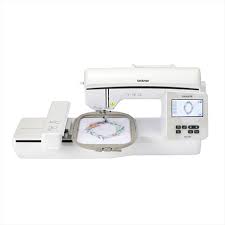
Sam's Lab has the Brother Inno-vis NQ1700e embroidery machine. An embroidery machine creates decorative stitches and designs on fabric. The Brother NQ1700e comes with 140 built-in embroidery designs and 9 English-Spanish fonts to create designs. Sam's Lab has four hoop sizes available: 1"x2.5", 4"x4", 5"x7", and 6"x10". The Brother NQ1700e is compatible with flat items but cannot embroider hats or bags. A PES embroidery file is needed for the Brother NQ1700e.
- Manual (English) - Brother Inno-vis NQ1700e
- Manual (En Espanol) - Brother Inno-vis NQ1700e Manual
- Embroidery Design Guide - Brother Inno-vis NQ1700e
- Quick Reference Guide - Brother Inno-vis NQ1700e
Sam's Lab also has a desktop station with two embroidery design programs: Hatch Embroidery and Brother BES Blue. These programs can create custom embroidery designs in PES format.
You can add embroidery to a variety of fabric items. The item must lay flat and fit inside an embroidery hoop.
Examples:
- Towels
- Shirts
- Tote bags
The embroidery machine cannot embroider hats or backpacks. It cannot embroider dense materials like leather or thick materials like plushy fleece.
- Brother Inno-vis NQ1700e
- Embroidery Hoops:
- 1" x 2.5"
- 4" x 4"
- 5" x 7"
- 6" x10"
- Machine Embroidery Thread
- Patrons must use machine embroidery thread from Sam's Lab
- $0.10 per 1,000 stitches
- Stabilizer
- Patrons may bring their own
- Patrons can purchased Adhesive Tear Away, Cut Away, and Wash Away stabilizer for $1 per 12 inches
- A desktop station is available with embroidery design software
- An item to embroider
- The machine is not compatible with hats, backpacks, leather, or thick fabric like plushy fleece
- A design
- Refer to the Embroidery Design Guide for built-in designs
- Designs must be in PES format (.pes)
- Patrons can find PES files on iBroidery.com, Etsy, or other sites
- Patrons can make custom designs using the Hatch or Brother BES Blue sofwares
- Stabilizer
- Patrons can purchase Adhesive Tear Away, Cut Away, or Wash Away stabilizer from Sam's Lab for $1 per 12 inches
- Extra time and extra supplies!
- Learning a new skill takes time and practice.
- Learn how the machine works
- Attend a class or schedule a training session
- Watch tutorials videos on YouTube
- Read our How To Guides
- Reserve the Brother NQ1700e during staffed hours
- An Addison Public Library card is required for reservations.
- Non-cardholders can use equipment as a walk-in when it's available
- Reservations are limited to 2-hours per day
- Create or load your embroidery design
- Use the touch screen to select a pre-made design or type basic text. Refer to the Embroidery Design Guide for built-in designs.
- If you have a custom PES file, save it to a USB flash drive and plug the USB flash drive into the machine.
- Secure your fabric and stabilizer to a hoop. Thread the machine with thread from Sam's Lab. Thread is $0.10 per 1,000 stitches.
- Attend a class or schedule a training session
- Watch tutorial videos from Brother
- Read our How To Guides
- Refer to the Manual, Quick Reference Guide, or Embroidery Design Guide
| Title | Date | File |
|---|---|---|
| How To: 3D Print | View Document | |
| How To: Cricut Maker HTV | View Document | |
| How To: Cricut Maker Vinyl | View Document | |
| How To: Embroidery Machine Basics | View Document | |
| How To: Silhouette Cameo HTV | View Document |
Craft & Hobby

CreativeBug

Fiero Code

Self-paced learn-to-code software for kids ages 8-18. Contains hundreds of coding tutorials and dozens of real-world projects.